Google Sheets is a flexible spreadsheet tool that lets you create, edit, and collaborate on spreadsheets right from your Android device. Thanks to features such as real-time collaboration, offline access, and auto-save, you can efficiently manage and analyze your data. It also supports Excel file compatibility and offers smart, AI-powered insights to boost productivity.
Google Sheets: The Ultimate Spreadsheet Tool
Google Sheets is a versatile, cloud-based spreadsheet application built to boost productivity and simplify teamwork. Whether you’re using your Android phone, tablet, or a desktop computer, you can effortlessly create, edit, and share spreadsheets. As part of Google Workspace, this powerful tool gives you a complete solution for managing and analyzing your data.
Key Features of Google Sheets
Create and Edit Spreadsheets
With Google Sheets, you can start new spreadsheets or update existing ones directly from your mobile device. Its user-friendly interface helps you format cells, enter or sort data, and insert formulas for complex calculations. The app also includes find and replace, data validation, and other tools to give you full control over your data.
Real-Time Collaboration
Collaborating in Google Sheets is simple. Share your spreadsheets with others and work together at the same time. Everyone sees updates instantly, which improves teamwork and reduces confusion. You can also add and reply to comments, making it easy to share feedback directly in the sheet.
Offline Access
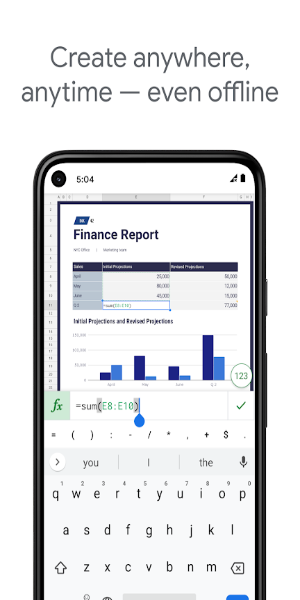
A standout feature of Google Sheets is its offline capability. You can view, create, and edit spreadsheets even without an internet connection. Once you’re back online, your changes sync automatically, so your data stays current.
Automatic Saving
With Google Sheets, you don’t have to worry about losing your progress. The app saves your changes as you go, so there’s no need to manually save. This keeps your data protected and always up to date.
Smart Suggestions and Insights
Google Sheets uses advanced AI to give you smart recommendations for formatting, data analysis, and chart creation. Get quick insights into your data and improve your spreadsheets with automatically generated suggestions that make your work smoother.
Excel Compatibility
The app works smoothly with Microsoft Excel. You can open, edit, and save Excel files without any issues. This compatibility makes it easy to collaborate with Excel users and move your work across different platforms.
Advanced Tools for Google Workspace Subscribers
As part of the Google Workspace suite, Google Sheets offers extra features for subscribers:
Enhanced Collaboration Tools
Google Workspace users get even better collaboration features. You can easily add people to projects, see real-time changes, and get notifications for edits made in your absence. The built-in chat lets you talk with teammates right inside the spreadsheet, boosting team efficiency.
Powerful Insights Powered by Google AI
Subscribers get access to advanced data analysis powered by Google’s AI. Generate insights and predictions quickly to support accurate, data-driven decisions.
Seamless Integration and Security
Google Sheets integrates smoothly with other essential business tools, helping you manage and analyze data more effectively. Enterprise-level security keeps your data safe, and you can build custom solutions to fit your specific business needs.
Advanced Data Analysis and Custom Solutions
Analyze data from multiple sources and create custom solutions for your business. Google Workspace provides the tools and integrations to help you understand and manage your data with confidence.
Get Started with Google Sheets Today
Google Sheets is more than a spreadsheet app—it’s a powerful platform for collaboration, data analysis, and productivity. Whether you’re handling personal projects or complex business tasks, Google Sheets gives you the flexibility, features, and security to succeed. Download Google Sheets today and discover the future of spreadsheet management and collaboration.
With Google Sheets, you can confidently handle any data task, collaborate seamlessly with your team, and make smarter decisions using powerful insights. Embrace the benefits of cloud-based spreadsheets and take your productivity to the next level with Google Sheets.


 Download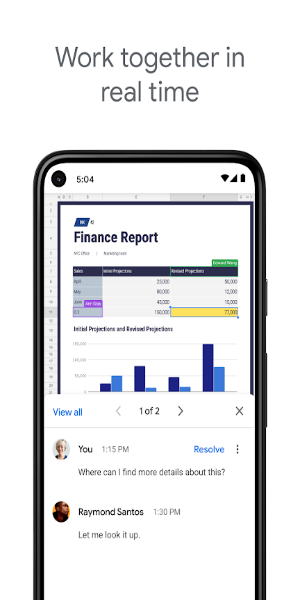
 Application Description
  Apps like Google Sheets