Elevate your typing by personalizing your keyboard background with your own photos using My Photo Keyboard. This app works seamlessly across all your device's applications, letting you pick images from your gallery or camera to make every keystroke a visual delight. Enjoy a keyboard that truly matches your personal style!
Key Features of My Photo Keyboard:
❤ Personalize Your Keyboard with Photos: Set your favorite photos as your keyboard's background for a unique, personal touch. Move beyond standard keyboards and decorate yours with cherished memories.
❤ Full App Compatibility: My Photo Keyboard works consistently across your entire device and every app. Whether you're messaging, on social media, or composing emails, your custom keyboard is always ready.
❤ Simple Photo Selection: Changing your keyboard's background is effortless. Just pick an image from your gallery or snap a new photo with your camera to see a live preview of your customized keyboard.
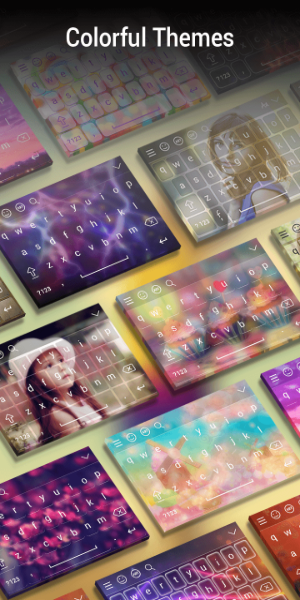
❤ Diverse & Colorful Themes: Express yourself with a wide selection of vibrant themes. Whether you love bold, bright colors or prefer elegant, minimalist designs, there's a theme to match your taste.
Helpful Tips for Users:
❤ Getting Started: Open the My Photo Keyboard app and tap the "My Photo Keyboard" button to begin personalizing your keyboard.
❤ Setting as Default Keyboard: Easily set My Photo Keyboard as your default input method within the app settings. This ensures your personalized keyboard is always active when you type.
❤ Choosing Background Images: Select a photo from your gallery or take a new one to set as your keyboard background. Use the preview feature to see how it looks before confirming your choice.
❤ Exploring Themes: Dive into the variety of colorful themes available. Try different ones to find your perfect match, and feel free to mix elements for a look that's uniquely yours.
❤ Language & Font Customization: Further tailor your keyboard by choosing from over 50 supported languages and font styles. Pick the language you type in most and a font that reflects your personality.
Design and User Experience
Intuitive Interface
The app boasts a clean, user-friendly layout designed for easy navigation. Clear icons and simple menus let you quickly find and use all customization options.
Customization Options
Easily upload photos from your gallery or capture new ones directly. The app supports multiple image formats, giving you full flexibility to create your ideal keyboard background.
Smooth Functionality
The keyboard performs reliably and smoothly in every app on your device. Enjoy consistent, lag-free typing for an enhanced user experience.
Preview Feature
See a live preview of your selected photo as the keyboard background before saving. This lets you perfect your design and make any adjustments for complete satisfaction.
Versatile Color Schemes
Beyond photo backgrounds, customize your keyboard's text color from a range of options. Match the character colors to your background for a cohesive, stylish look.
Accessibility
Built with accessibility in mind, the app includes adjustable font sizes and styles, making it comfortable and user-friendly for everyone.


 Download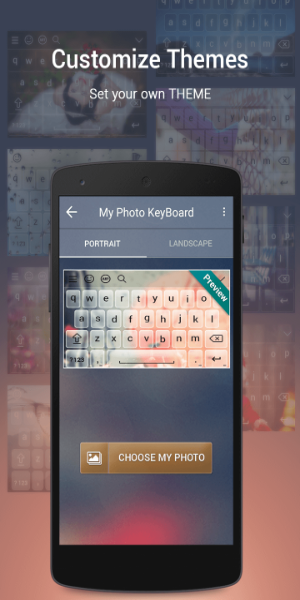
 Application Description
  Apps like My Photo Keyboard