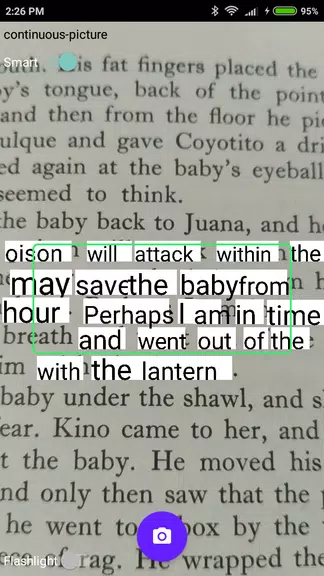
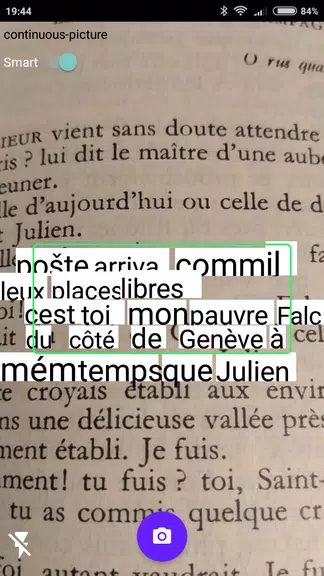
The OCR Plugin is a practical tool that enables other applications to perform Optical Character Recognition (OCR), letting you effortlessly capture text from printed materials using your device's rear camera. This plugin requires a back camera with autofocus and Google Play services, and it currently supports only the Latin alphabet. It is compatible with various apps like Online and Offline Dictionaries, as well as the Online Thesaurus by Livio (version 3.5 or later), making it a valuable addition for anyone needing to extract text from physical documents. If text recognition issues arise, update Google Play Services to the latest version or clear its data.
OCR Plugin Features:
Seamless integration: The plugin integrates smoothly with supported apps, allowing users to quickly capture text from printed sources using their device's camera.
Accurate text recognition: Using OCR technology, the plugin precisely captures and converts text from a variety of printed materials, delivering high accuracy.
Easy to use: Thanks to its point-and-capture function, users can easily extract text from books, newspapers, and other printed documents without manual typing.
Regular updates: The developers consistently release updates to maintain compatibility with the latest devices and software, ensuring a smooth and reliable experience.
Frequently Asked Questions:
Does the app work with all applications?
- No, it only works with supported applications that have integrated this plugin for text capture.
Can the app recognize text in languages other than the Latin alphabet?
- No, currently the app only supports text written in the Latin alphabet.
What should I do if text recognition is not working?
- If text recognition fails, ensure that Google Play Services is updated to the latest version and/or clear its data.
In Summary:
The OCR Plugin offers a convenient and dependable way to capture text from printed materials using your device's camera. With its smooth integration, accurate recognition, and regular updates, this plugin improves the user experience and simplifies extracting information from physical documents. Download the app today and start capturing text effortlessly with just a few taps.


 Download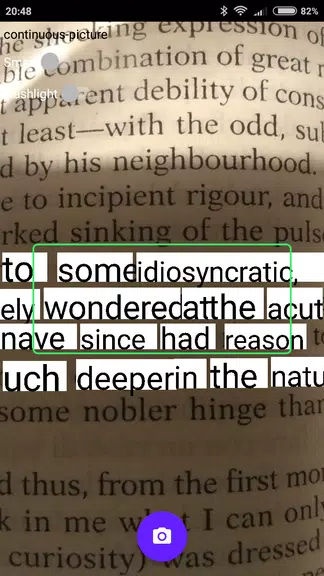
 Application Description
  Apps like OCR Plugin