Application Description
A smart app that simplifies transportation: Where is my bus?
The smart application "Where Is My Bus?"—your companion for public transportation in Istanbul—is now here with refreshed, user-friendly interfaces and a reinforced infrastructure!
"Where is My Bus?" is the official application of the Istanbul Metropolitan Municipality General Directorate of IETT Operations. With this app, you can find bus routes, timetables, and which lines serve which stops across Istanbul.
Just ask "Where is My Bus?" for the best way to reach your destination!
View nearby stops, Istanbulkart top-up points, and İspark parking locations in both list and map views.
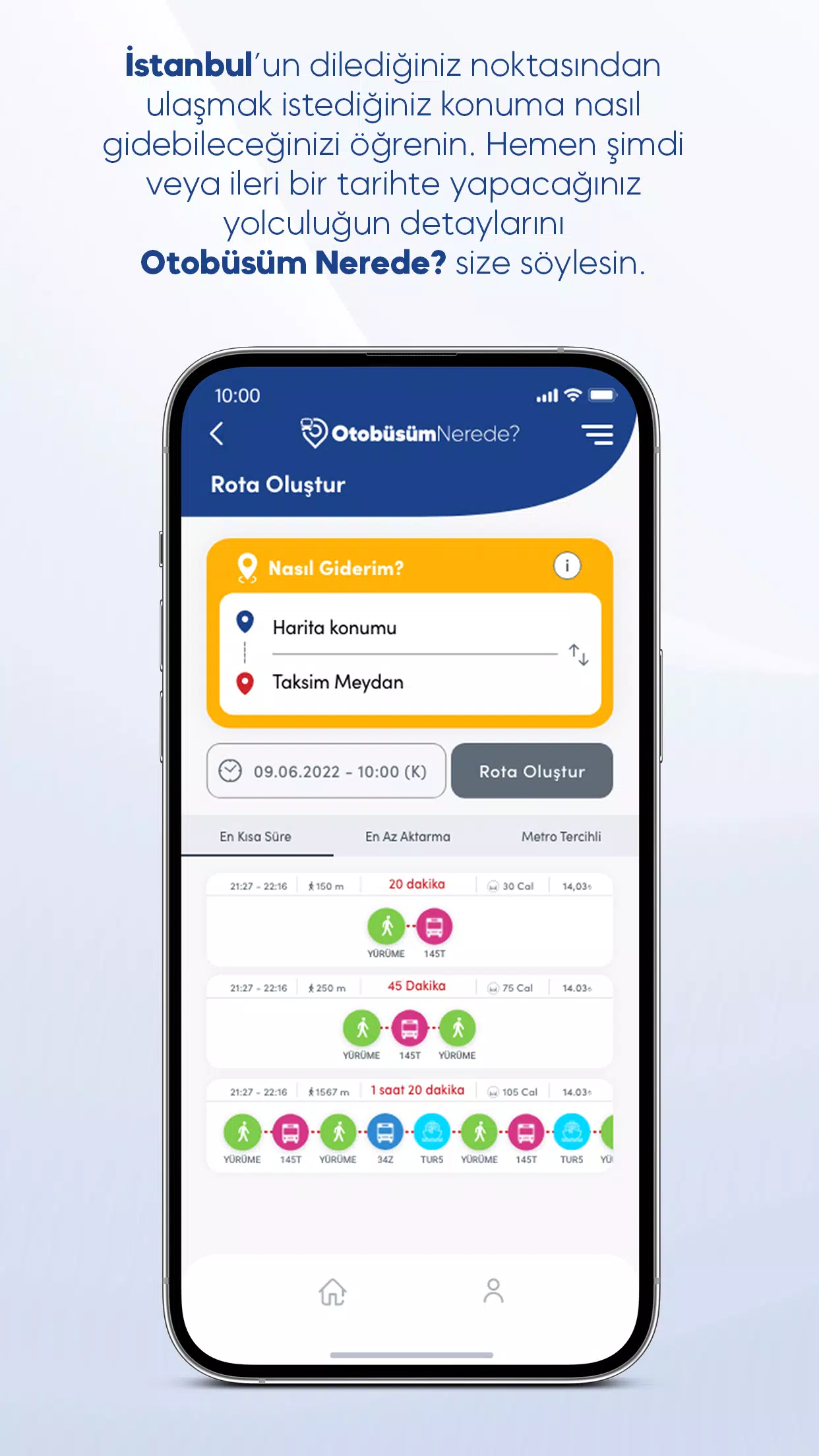
Ask "Where Is My Bus" How to Get There!
You can reach your destination via many different public transport routes in Istanbul. To explore your options, simply enter your starting point and destination in the "How to Go" menu and set your travel date & time. You can also plan based on your departure or arrival time. Review the route alternatives suggested by "Where is My Bus?" according to your preference: Do you want the fastest trip or the route with the least walking? Choose the route you prefer and examine the details. You can even follow it live on the map.
Discover your nearest stop
From the "Stops Near Me" menu, see a list of the closest stops to your location, sorted by distance. Tap any stop to view its detail page, where you can check which lines pass through it and see real-time bus arrival times. If you prefer, switch to map view to see stop locations and get directions.
Find other useful transport points near you
Locate the nearest Istanbulkart filling stations or İspark parking areas relative to your current position—all visible within "Where is my bus?". On the pages accessible from the side menu, you can see the distance to each point, parking capacities, and lot types (such as open-air or multi-story). Switch to map view to examine locations and get directions to your chosen spot.
Get line and route information
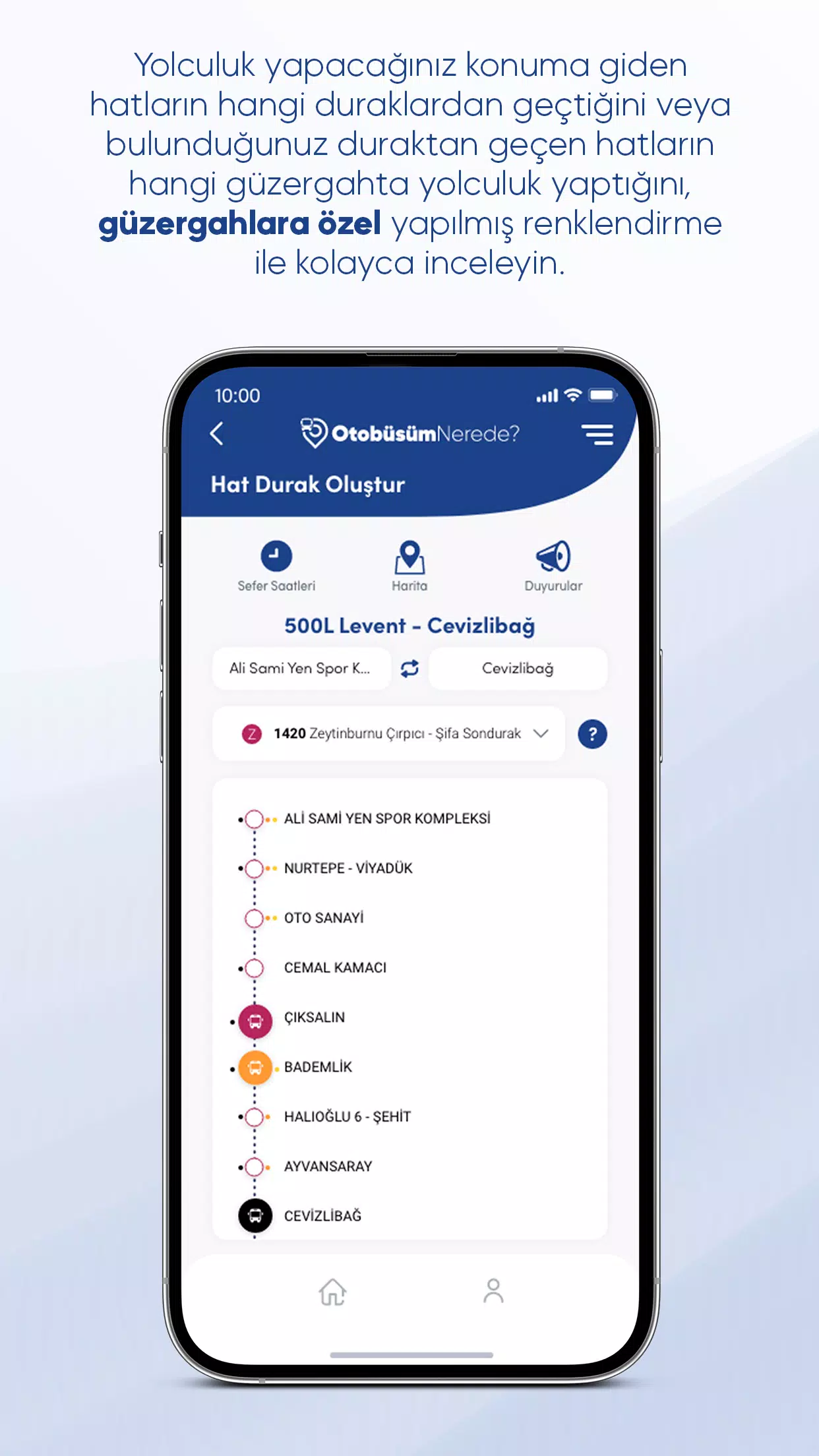
Search by line name to explore the main and supplementary (depar) routes of Istanbul’s bus lines. From the line detail page, select a route to see all its stops. Track buses in real time, with special coloring to distinguish vehicles on different supplementary routes. You can also view all routes of a line on the map by switching to map view—just activate the routes you want to see using the filter icon in the top-left corner of the map.
Plan your trip with departure times
Access the Timetables page by clicking the Timetables button on the home screen and searching for a line, or via the Timetables button on a line’s detail page. The timetable shows times for the main route, while supplementary routes are marked with special colors. To see which color corresponds to which supplementary route, open the Route Information panel for details.
Stay updated with announcements
On the detail page of any line or stop, tap the Announcements icon to see real-time notices related to that line or station. You can also review past announcements for all lines, stops, schedule changes, and route updates from the Announcements page in the side menu.
Maps & Navigation


 Download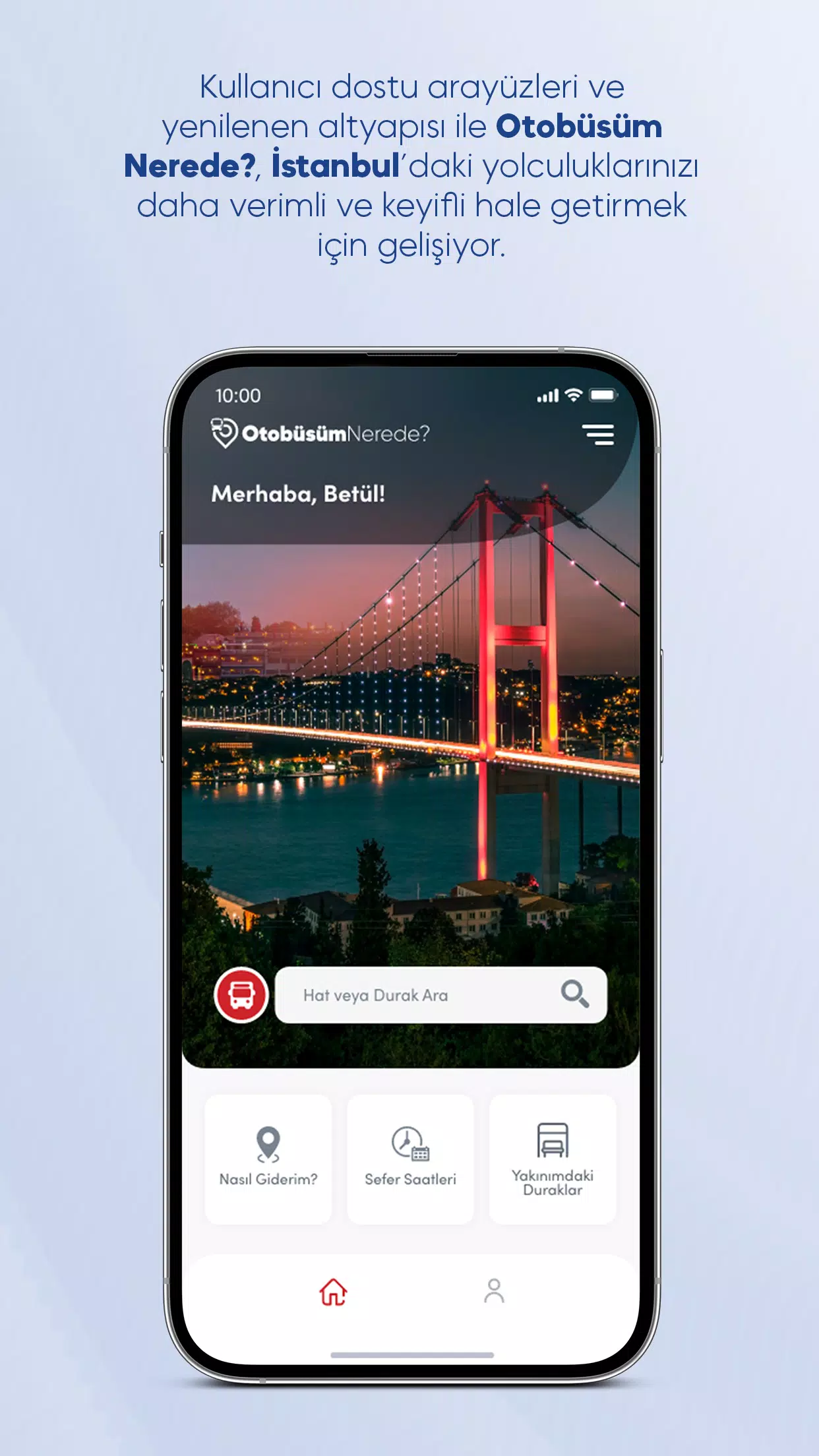
 Apps like Otobüsüm Nerede