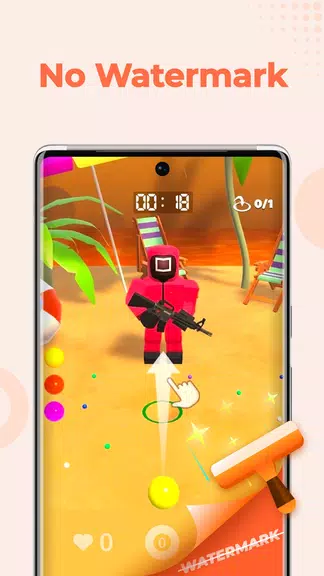
Meet Screen Recorder - XRec Lite, a robust yet easy-to-use application that lets you capture your screen with ease. Ideal for recording smooth gameplay, creating step-by-step tutorials, or saving moments that aren't available for download, this app delivers on all fronts. Add a personal vibe by recording your screen and yourself at the same time using the built-in facecam. Use the brush tool to sketch or mark key areas right on your screen, while the floating ball offers quick access to recording functions. Free of watermarks, recording limits, and lag, the app ensures your videos look clean and professional. Export in Full HD with your preferred settings and share clips in an instant. The lite version runs smoothly even on devices with limited storage or RAM.
Key Features of Screen Recorder - XRec Lite:
* Record Video with Sound: Capture any activity with crisp audio using various audio sources tailored to different situations.
* Facecam: Show your reactions by recording both your screen and your face at once. Swap between front and rear cameras for a picture-in-picture view.
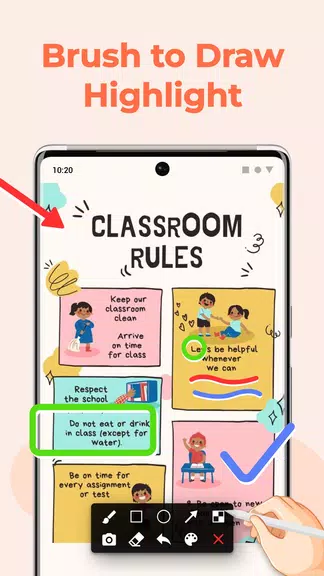
* Brush Tool: Draw or mark key spots directly on the screen. Emphasize important details effortlessly.
* Floating Ball: Simple one-tap control lets you start, pause, resume, or take screenshots without interrupting your workflow.
* No Lag: Enjoy smooth video and audio recording with zero delay. Capture everything in real time without missing a beat.
* High FPS and Professional Options: Record at up to 120 FPS for exceptionally smooth playback. Export Full HD videos with custom configurations for superior quality.
In Summary:
Screen Recorder - XRec Lite makes screen recording and video creation simple and efficient. It comes packed with tools like facecam, brush annotation, quick-access floating ball, and professional customization options. Use it to record games, tutorials, streams, or video calls—all without watermarks, time restrictions, or lag. Start capturing your favorite moments today by installing the app!



 Download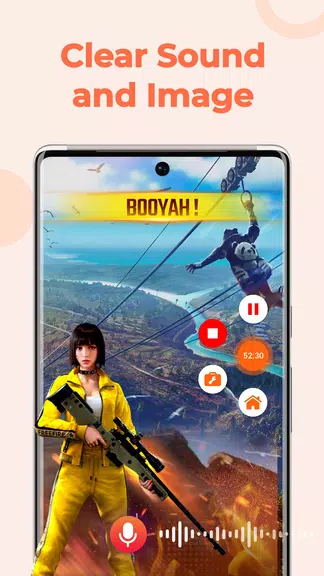

 Application Description
  Apps like Screen Recorder - XRec Lite