Introducing Video Downloader for Pinterest, a user-friendly application that makes it simple to download videos from Pinterest straight to your Android device. Thanks to its intuitive design, you can promptly save your preferred Pinterest videos, allowing you to watch them anytime, anywhere with ease.
Video Downloader for Pinterest Key Features:
- Quick and Reliable Downloads: Pinster Downloader saves you valuable time by downloading Pinterest stories, carousels, videos, GIFs, and images within seconds. No matter if you’re on the Pinterest website or using the mobile app, this tool makes automatic downloads a breeze.
- Smooth Browsing Experience: In contrast to similar tools, Pinster Downloader removes the need for browser logins. Browse Pinterest.com on your favorite browser or the official app and start downloading your desired content right away.
- Multi-language Support: Pinster Downloader serves a diverse global audience by providing assistance in multiple languages. The app is available in English, Deutsch (German), Français (French), 日本語 (Japanese), 한국어 (Korean), Português (Portuguese), Español (Spanish), Tiếng Việt (Vietnamese), Italiano (Italian), and Pусский (Russian).
- Flexible Download Choices: Pinster Downloader supports downloading images, videos, memes, and funny clips, making it your top choice for grabbing anime wallpapers, cooking recipes, DIY guides, creative design ideas, fashion inspirations, and motivational quotes for personal or professional projects.
User Tips and Guidance:
- Simple Download Steps: To download content using Pinster Downloader, launch the Pinterest app, press and hold the video or image you wish to save, then tap the share button. Choose "Pinster Downloader" from the menu to start the download. For subsequent downloads, just press and hold the item and select the rightmost icon from the list.
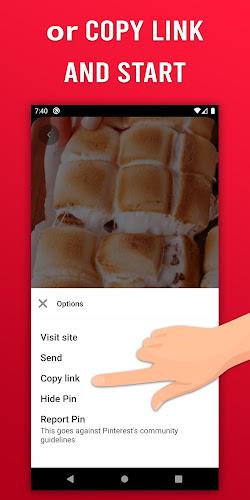
- Other Download Methods: If you’d rather use alternate approaches, you can copy the link of the video or image, and Pinster Downloader will automatically detect and download it. You can also tap the share button on the media item and pick "Pinster Downloader" from the "Send Pin" window.
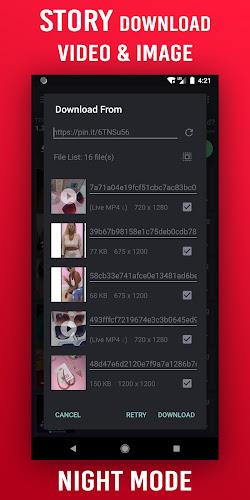
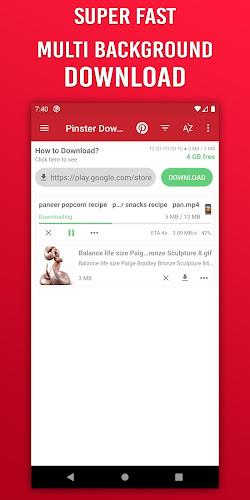
- Easy Download Management: Pinster Downloader includes a set of helpful tools to improve your downloading. You can control your download queue, pause and restart downloads, retry any failed attempts, and rename files prior to saving. Additionally, the app comes with a built-in video player and image viewer for smooth playback and sharing.
Design and User Experience
Intuitive Interface
The app’s neat and easy-to-use interface streamlines the download process, allowing users to navigate effortlessly through options—suitable for all age groups.
Quick Download Process
A few taps are all it takes to download Pinterest videos. The optimized workflow reduces steps, ensuring fast and effective downloads that improve user satisfaction.
Preview Functionality
Before saving, the app includes a preview feature so users can watch the video, confirming they are downloading the correct content and preventing unwanted files.
Seamless Integration
The app works smoothly with Pinterest, enabling users to download videos directly from the Pinterest app or website for a faster, more integrated experience.
Download Management
Users can conveniently manage all downloads within the app. A dedicated section lists every saved video, making it easy to find and organize content for later viewing.
Minimal Ads
The app focuses on user experience by limiting disruptive ads. This emphasis on a clean layout guarantees an uninterrupted and enjoyable download process.



 Download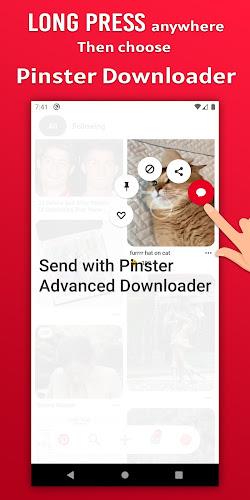
 Application Description
  Apps like Video Downloader for Pinterest