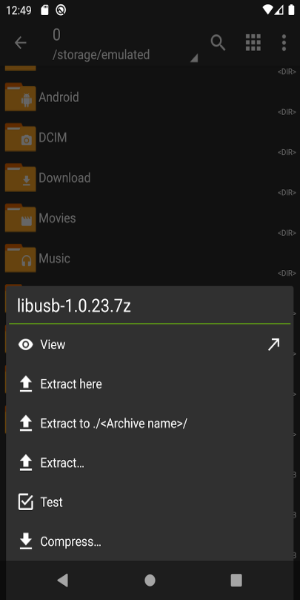
ZArchiver is a robust file management tool that makes handling backups and archives straightforward. Its clean, intuitive interface allows users to organize and access their files with minimal effort, making it an excellent choice for anyone seeking an efficient file management solution.
Key Features of ZArchiver
* User-Friendly Interface
With its simple and functional design, ZArchiver makes managing archives easy for users of all skill levels. Whether you're an expert or a beginner, you'll appreciate the app's straightforward navigation.
* Extensive Archive Format Support
ZArchiver enables you to create and extract a wide range of archive formats, including 7z, zip, rar, bzip2, and gzip. This broad compatibility ensures you can handle virtually any archiving task with a single tool.
* Password Protection
Secure your sensitive files by creating and opening password-protected archives. With ZArchiver, your confidential data remains private and only accessible to authorized users.
* Multi-Part Archive Support
The app supports creating and extracting multi-part archives like 7z and rar. This feature is especially useful for managing large files by splitting them into smaller, more manageable parts for storage or sharing.
Frequently Asked Questions
* Is ZArchiver available for free?
Yes, ZArchiver is completely free to download from the Google Play Store, ensuring everyone can access its features without financial barriers.
* Can I extract files from email attachments using ZArchiver?
Absolutely. ZArchiver allows you to open archive files directly from email applications, making it convenient to access and extract files sent to you via email.
* Does ZArchiver require an internet connection?
No, ZArchiver operates entirely offline and doesn't require internet access, keeping your data secure and private at all times.
Design and User Experience
Intuitive User Interface
ZArchiver features a clean, user-focused interface that emphasizes ease of use. The minimalist design helps users navigate functions smoothly without unnecessary complexity.
Efficient File Management
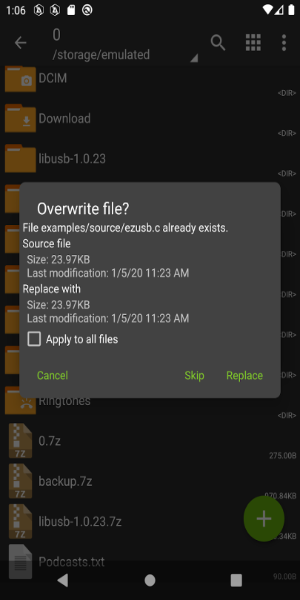
Designed for optimal productivity, ZArchiver lets you create, extract, and organize archives quickly. The logical layout makes these operations intuitive and efficient.
Quick Access Features
ZArchiver includes quick access options for frequently used files and folders, saving you time and streamlining your workflow when locating important archives.
Responsive Performance
The app delivers smooth performance across various devices, with fast loading times and efficient processing—even when working with large files.
Comprehensive File Support
ZArchiver supports an extensive range of file formats, giving you the flexibility to manage different archive types without needing additional software.
Helpful Tutorials and Tips
New users can take advantage of built-in tutorials and tips to master ZArchiver's features, boosting confidence and encouraging exploration of all available tools.
What's New
- Faster file operations;
- Added SUI support;
- Added E-Ink theme;
- Added drag and drop functionality for files into and out of ZArchiver;
- Various bug fixes and performance improvements.


 Download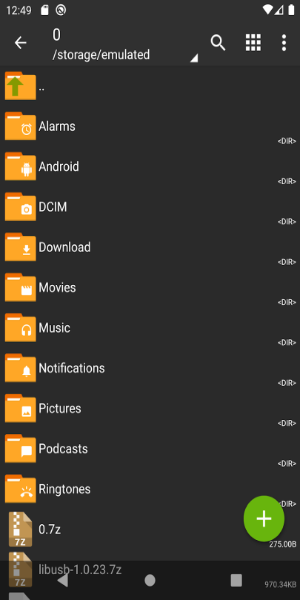
 Application Description
  Apps like ZArchiver