Quick Links
Steam is a ubiquitous platform for PC gamers, offering a wealth of features. However, some users aren't aware of the simple yet effective "Appear Offline" function. This setting allows you to play games without notifying your friends, providing a degree of privacy and uninterrupted gameplay.
When you log into Steam, your online status and current game are visible to your friends. Appearing offline makes you invisible, letting you enjoy your games without interruption. You can still chat with friends while offline, maintaining connectivity without revealing your activity. This guide explains how to achieve this, along with the benefits of using this feature.
Steps For Appearing Offline On Steam
 To appear offline on Steam, follow these steps:
- Launch Steam on your PC.
- Locate the "Friends & Chat" section in the bottom-right corner of the screen.
- Click the arrow next to your username.
- Select "Invisible."
Alternatively, use this quicker method:
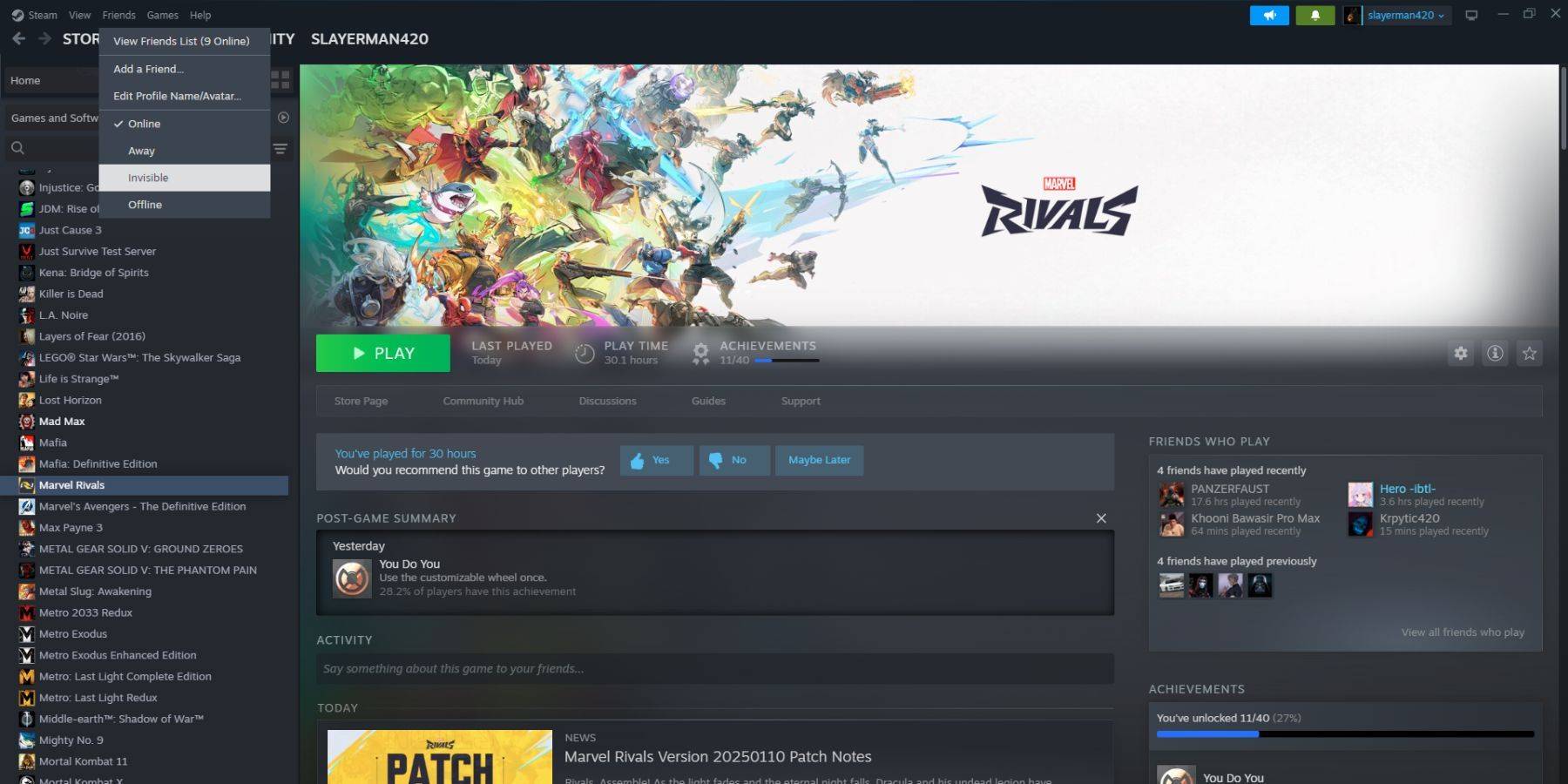 1. Open Steam on your PC.
2. Navigate to "Friends" in the top menu bar.
3. Choose "Invisible."
1. Open Steam on your PC.
2. Navigate to "Friends" in the top menu bar.
3. Choose "Invisible."
Steps For Appearing Offline On Steam Deck
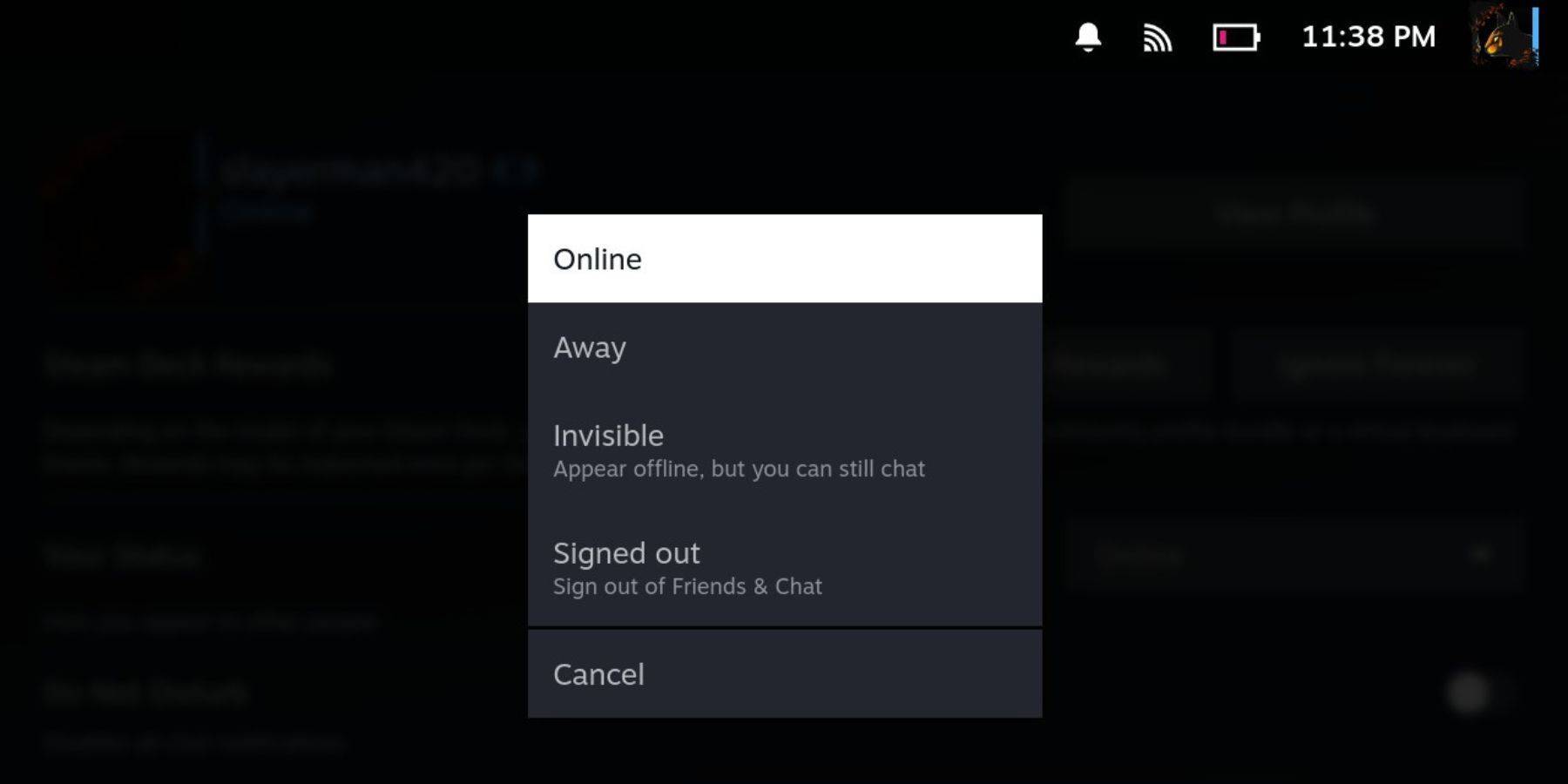 For Steam Deck users:
- Turn on your Steam Deck.
- Tap your profile picture.
- Select "Invisible" from the dropdown menu next to your status.
Note: Selecting "Offline" will completely log you out of Steam.
Reasons To Appear Offline On Steam
 Why use the "Appear Offline" function? Here are several reasons:
- Enjoy games without friends' immediate judgments or comments.
- Focus on single-player games without interruptions.
- Maintain productivity while Steam runs in the background; avoid game invitations during work or study sessions.
- Minimize distractions for streamers and content creators during recording or live streaming.
Mastering the "Appear Offline" function enhances your Steam experience, allowing you to game peacefully and productively.

 LATEST ARTICLES