In the vibrant world of *Overwatch 2*, your in-game name isn't just a label—it's a reflection of your identity within the gaming community. Whether it showcases your playstyle, personality, or sense of humor, your name is a key part of your gaming experience. However, as time passes, you might feel the need to refresh your moniker. Fortunately, changing your name in *Overwatch 2* is straightforward, depending on your platform. Let's dive into a comprehensive guide to help you update your BattleTag or in-game name seamlessly, whether you're on PC or console.
Can You Change Your Name in Overwatch 2?
Yes, you can change your name in *Overwatch 2*. The process varies slightly depending on whether you're playing on PC, Xbox, or PlayStation, and whether you have cross-platform play enabled or disabled. We'll walk you through each method to ensure you can update your gaming identity with ease.
How to Change Your Name in Overwatch 2
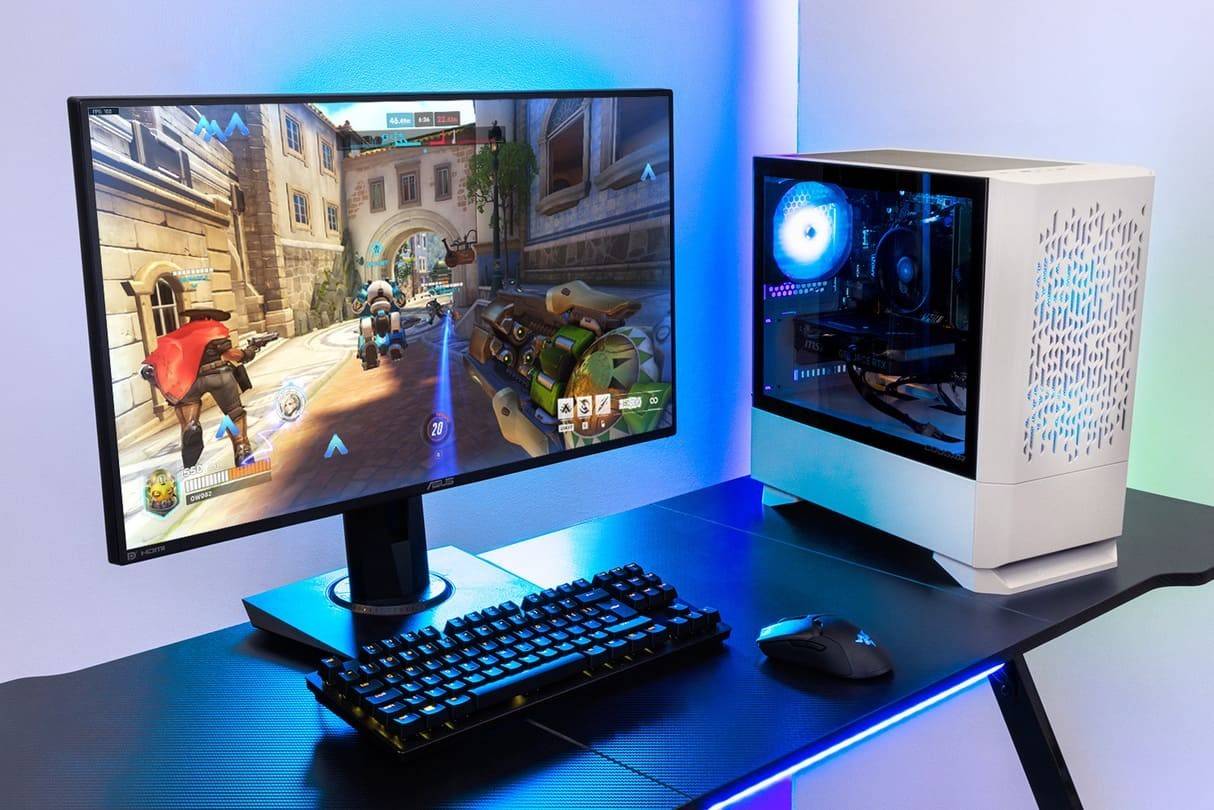 Image: stormforcegaming.co.uk
Your in-game name, visible to other players, is tied to your Battle.net account and is known as your BattleTag. Here are some key points to remember:
- Every player can change their BattleTag for free once.
- Subsequent changes incur a fee, which is $10 in the U.S. Check the Battle.net Shop for the exact cost in your region.
- If you play on Xbox or PlayStation with cross-platform play enabled, follow the PC method for changing your name.
- If crossplay is disabled, you'll need to change your name through your console's settings.
Changing Your Nick on PC
If you're playing *Overwatch 2* on PC or on a console with cross-platform play enabled, follow these steps to change your username:
- Visit the official Battle.net website and log in to your account.
- Click on your current username in the top-right corner of the screen.
- From the menu, select "Account Settings" and scroll to the BattleTag section.
- Click the blue pencil icon labeled "Update".
- Enter your new desired name, adhering to the BattleTag Naming Policy.
- Click the "Change Your BattleTag" button to finalize the change.
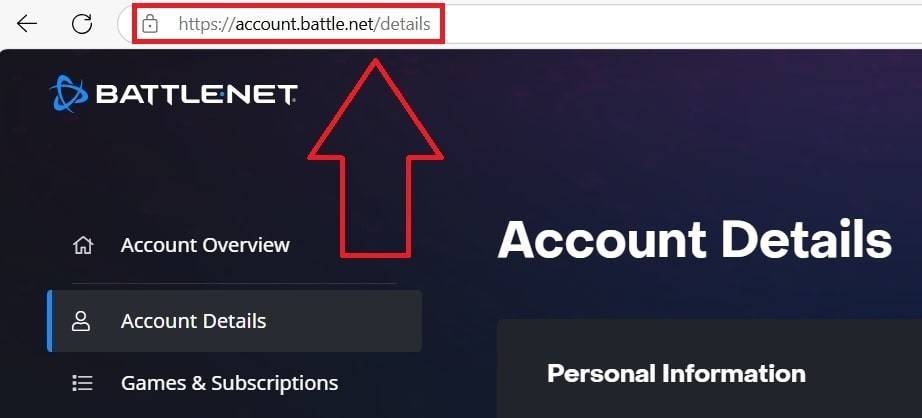 Image: ensigame.com
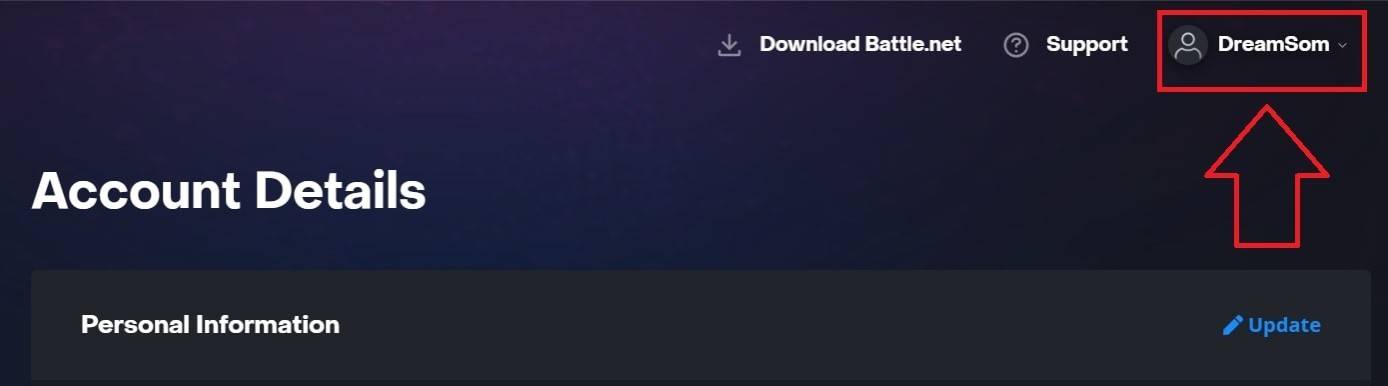 Image: ensigame.com
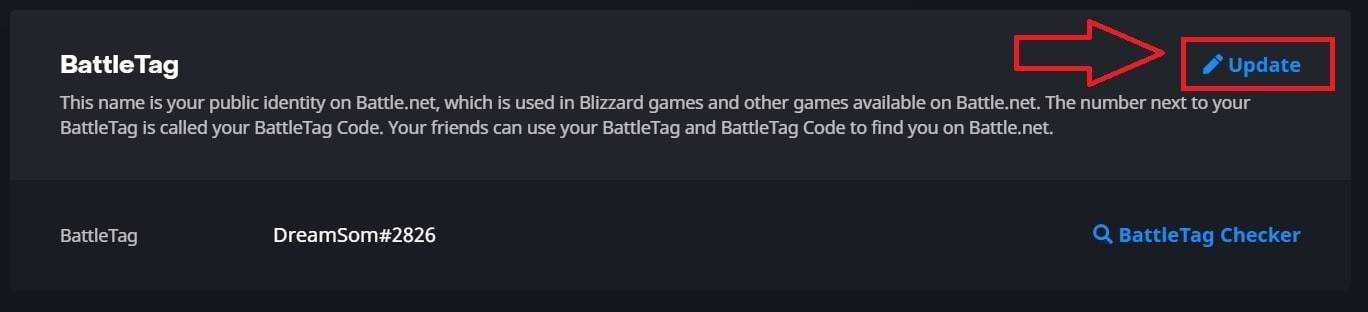 Image: ensigame.com
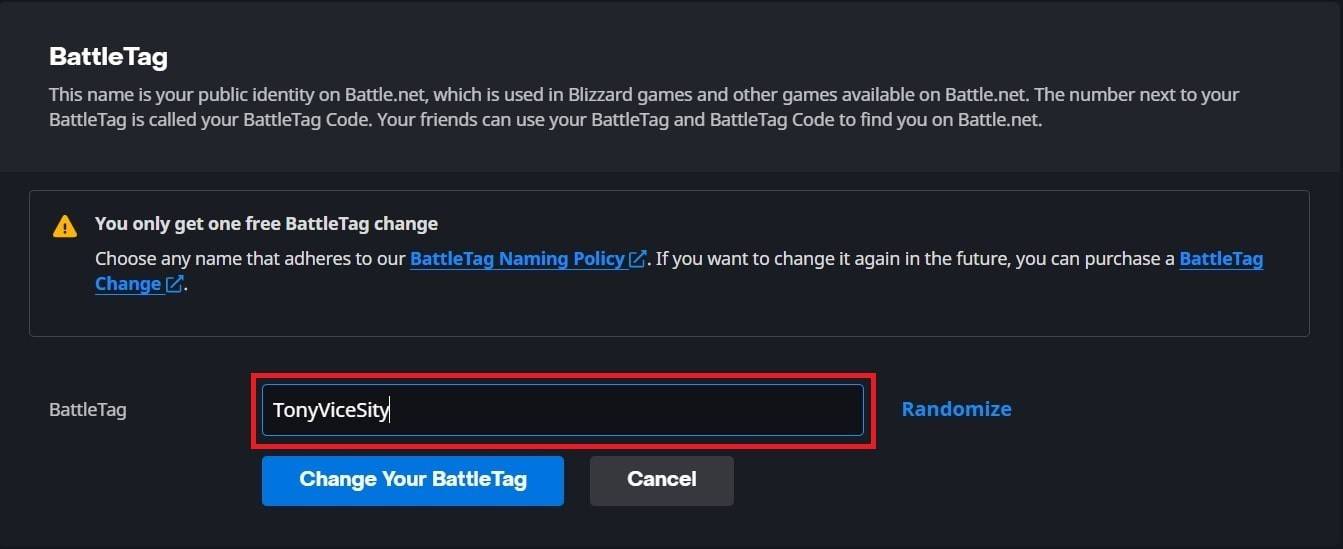 Image: ensigame.com
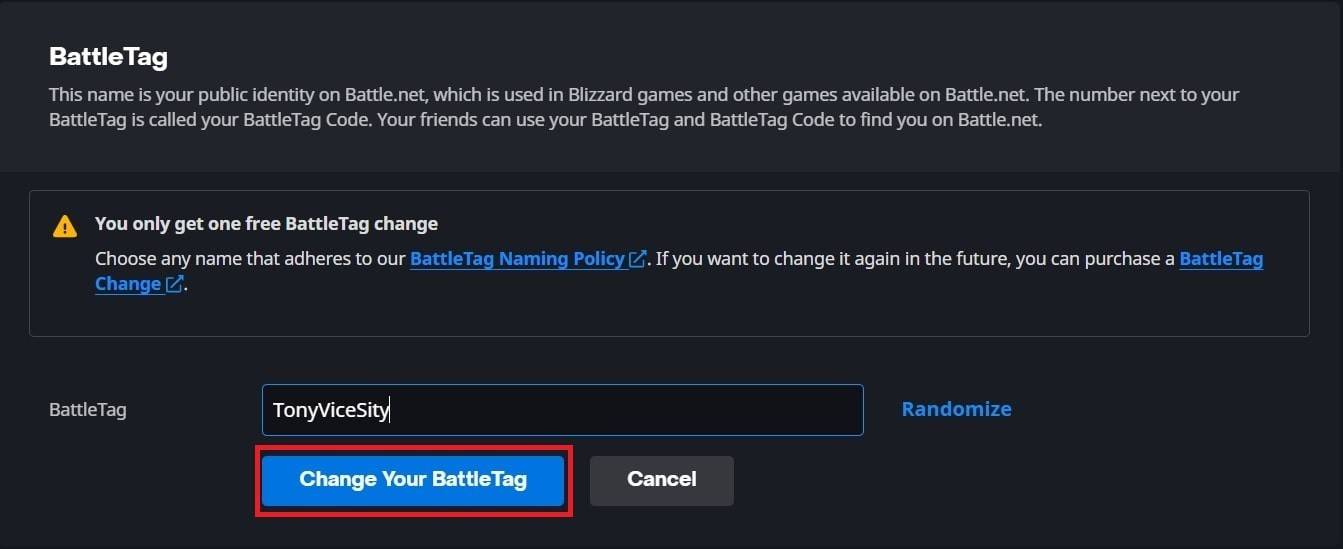 Image: ensigame.com
Your new BattleTag will be displayed across all Blizzard games, including *Overwatch 2*. Note that it may take up to 24 hours for the change to fully update.
Changing Your Name on Xbox
If you play *Overwatch 2* on Xbox with cross-platform play disabled, your in-game name will match your Xbox Gamertag. Here's how to change it:
- Press the Xbox button to open the main menu.
- Go to "Profile & System", then select your Xbox profile.
- Choose "My Profile", then click "Customize Profile".
- Click on your current Gamertag and enter your new desired name.
- Follow the on-screen instructions to confirm the name change.
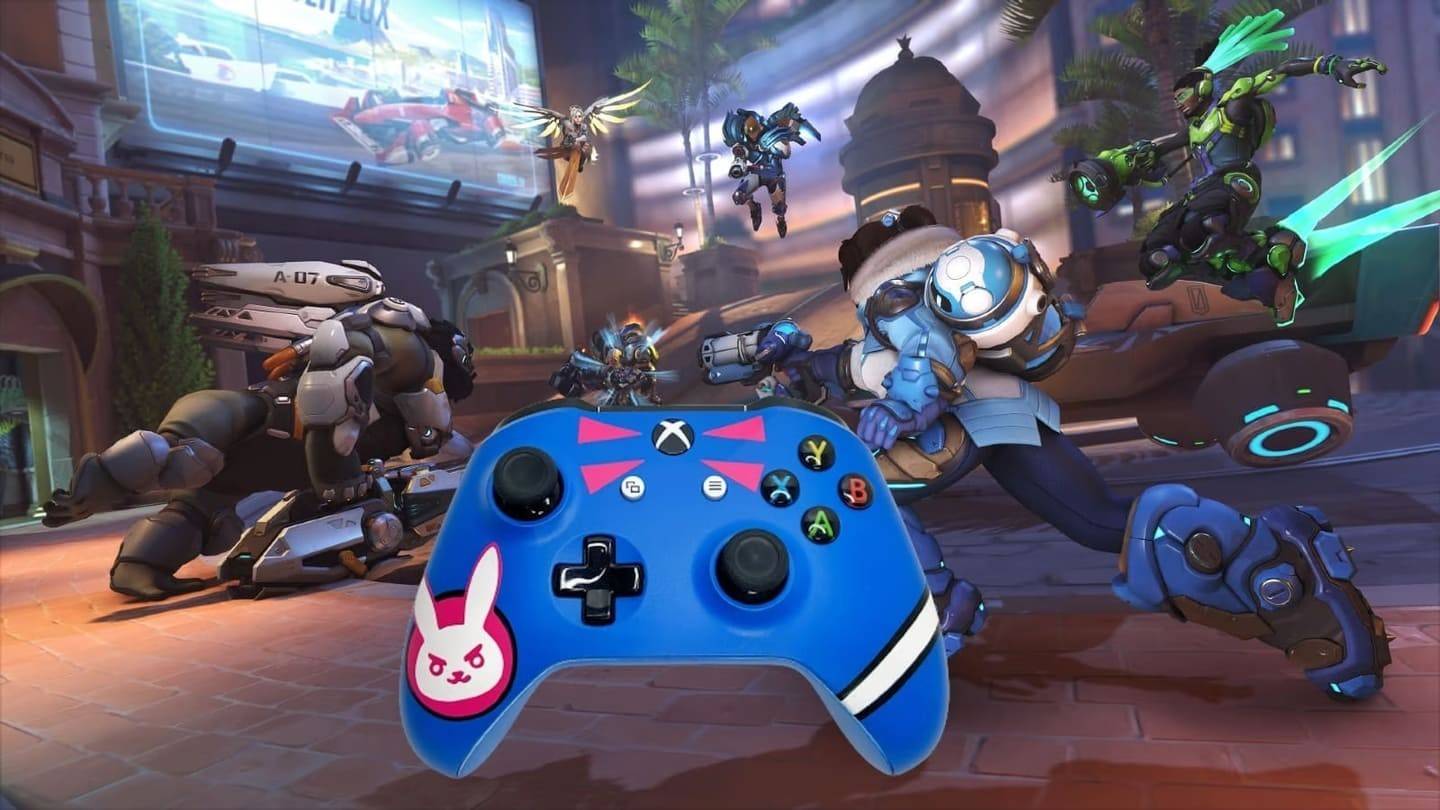 Image: dexerto.com
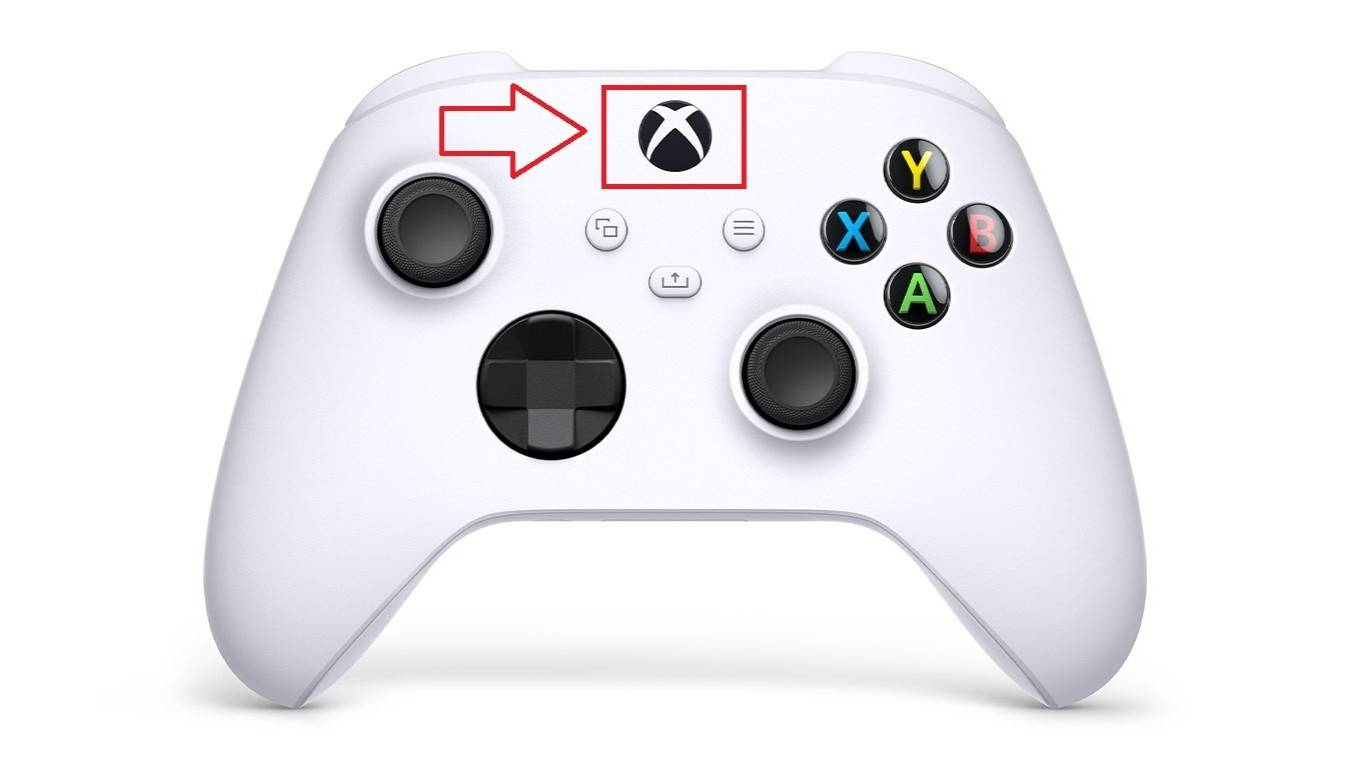 Image: xbox.com
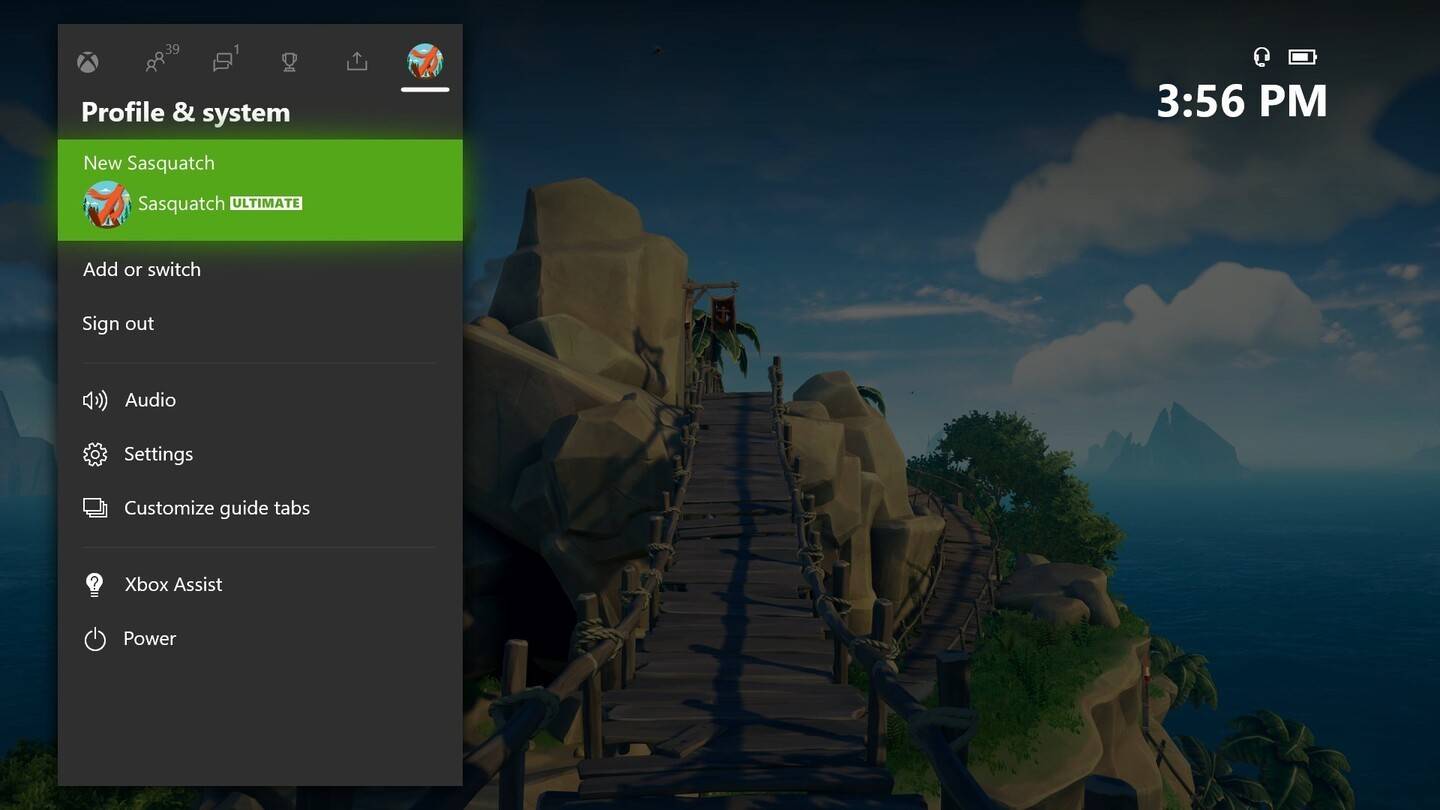 Image: news.xbox.com
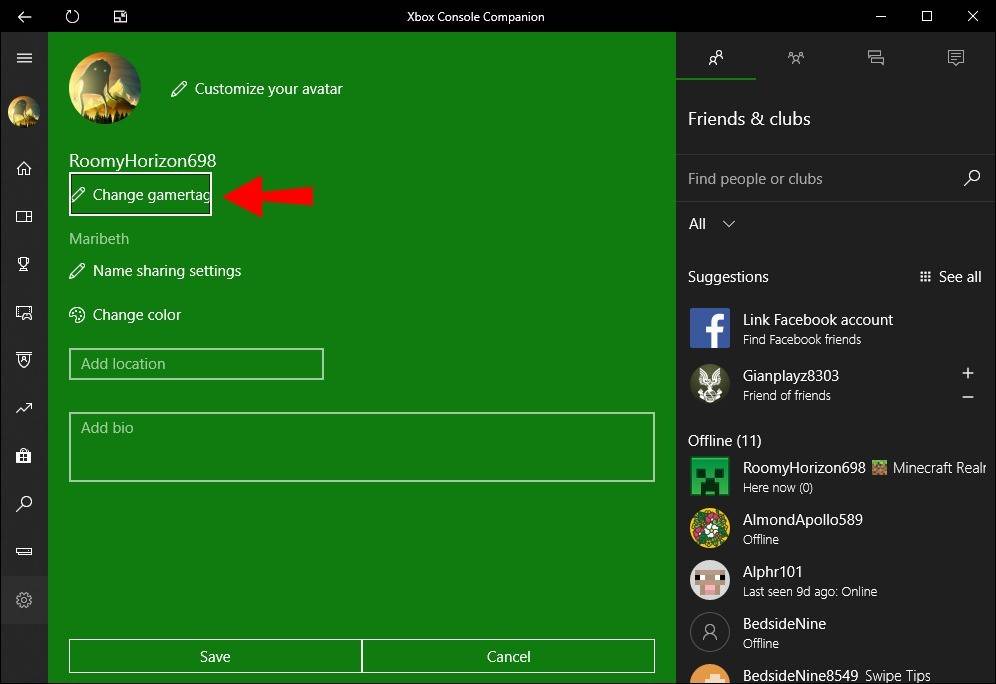 Image: alphr.com
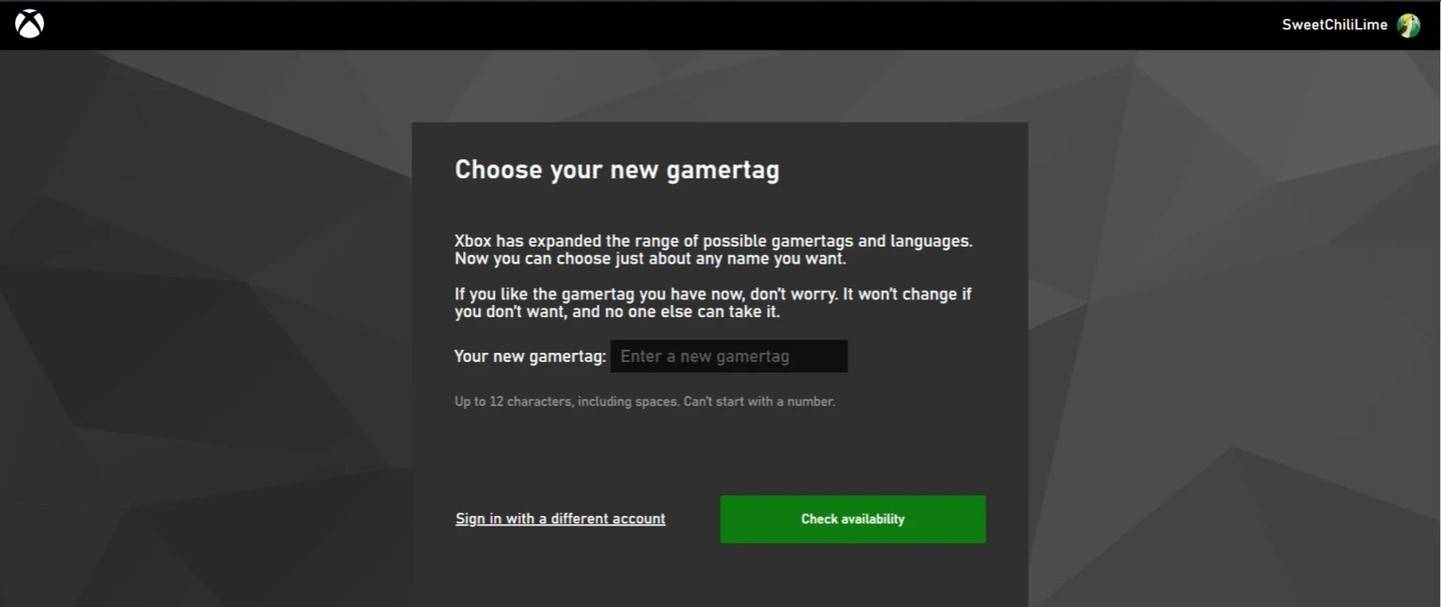 Image: androidauthority.com
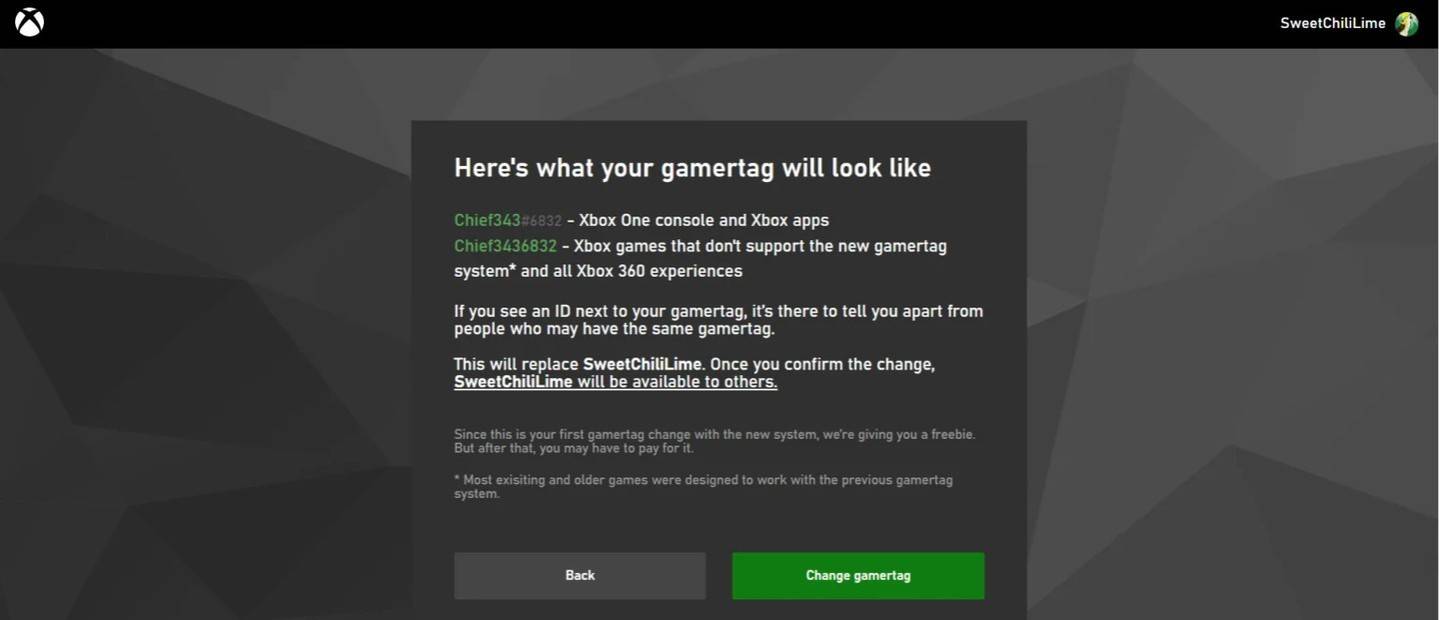 Image: androidauthority.com
Remember, if cross-platform play is disabled, your updated name will only be visible to other Xbox players who also do not use crossplay.
Changing Your Username on PlayStation
On PlayStation, if cross-platform play is disabled, you'll use your PSN ID. Here's how to change it:
- Open the main console settings and go to "Settings".
- Select "Users and Accounts".
- Go to "Accounts", then choose "Profile".
- Locate the "Online ID" field and click "Change Online ID".
- Enter your new name and confirm the changes.
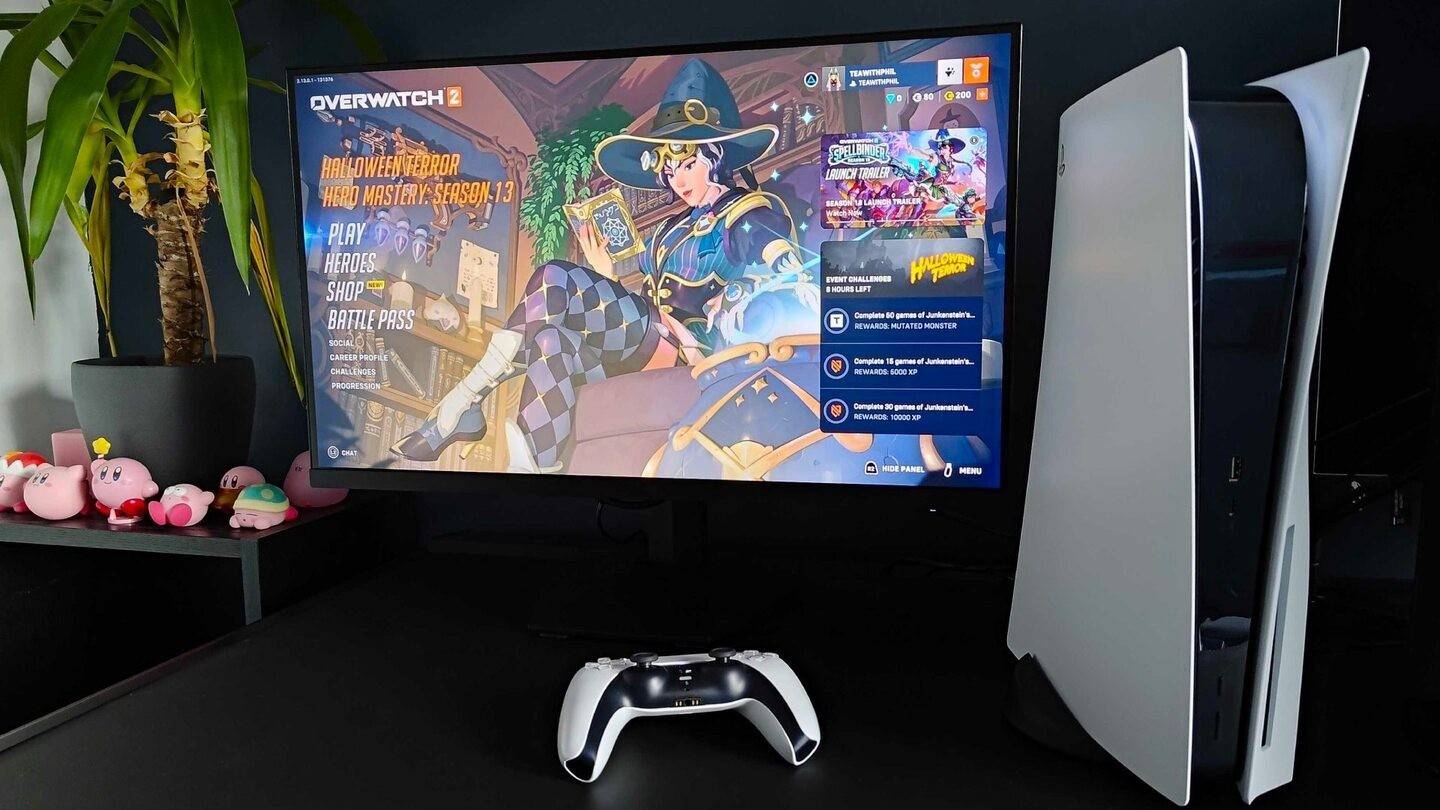 Image: inkl.com
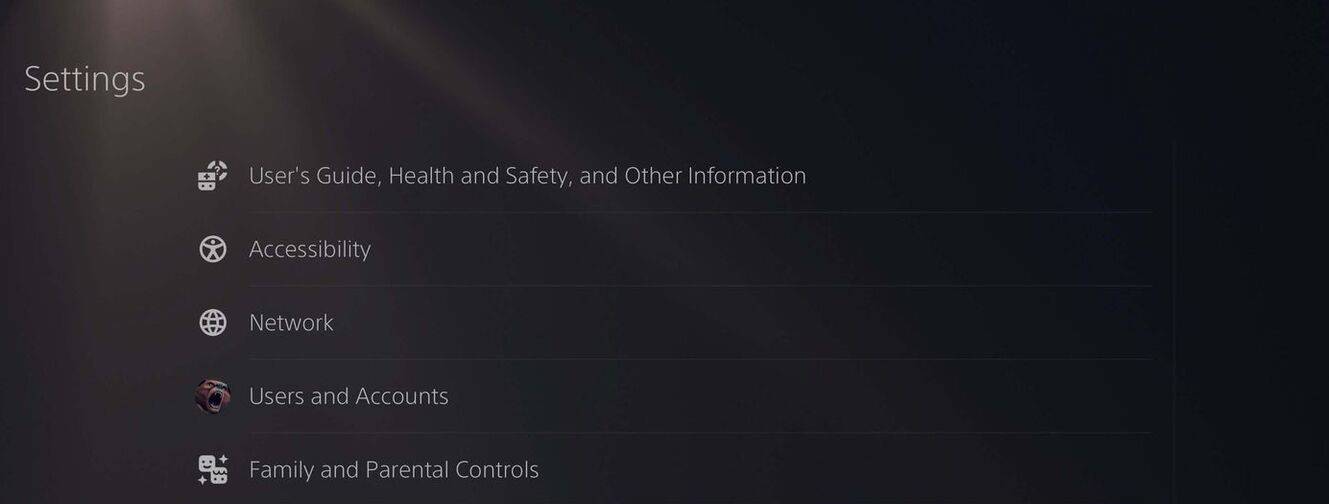 Image: androidauthority.com
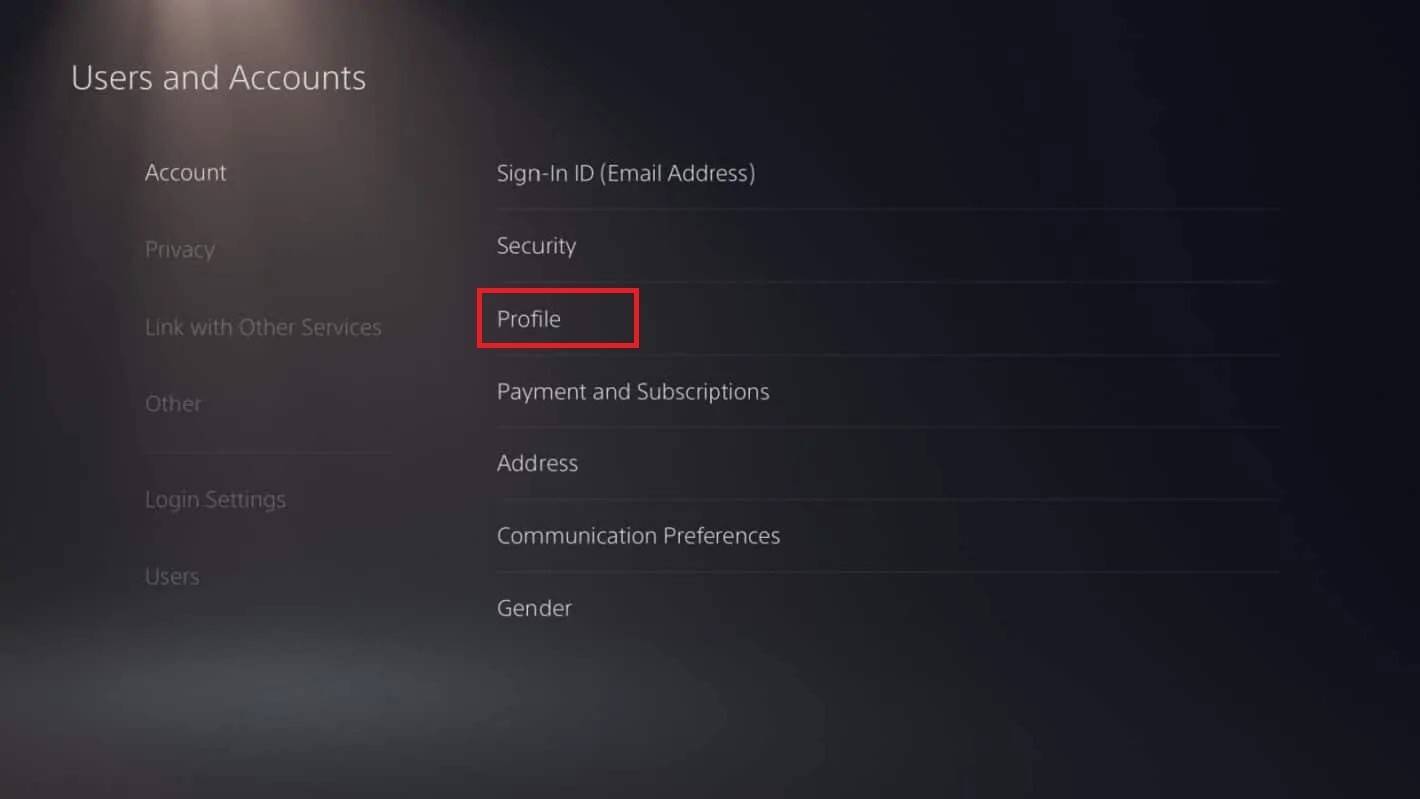 Image: androidauthority.com
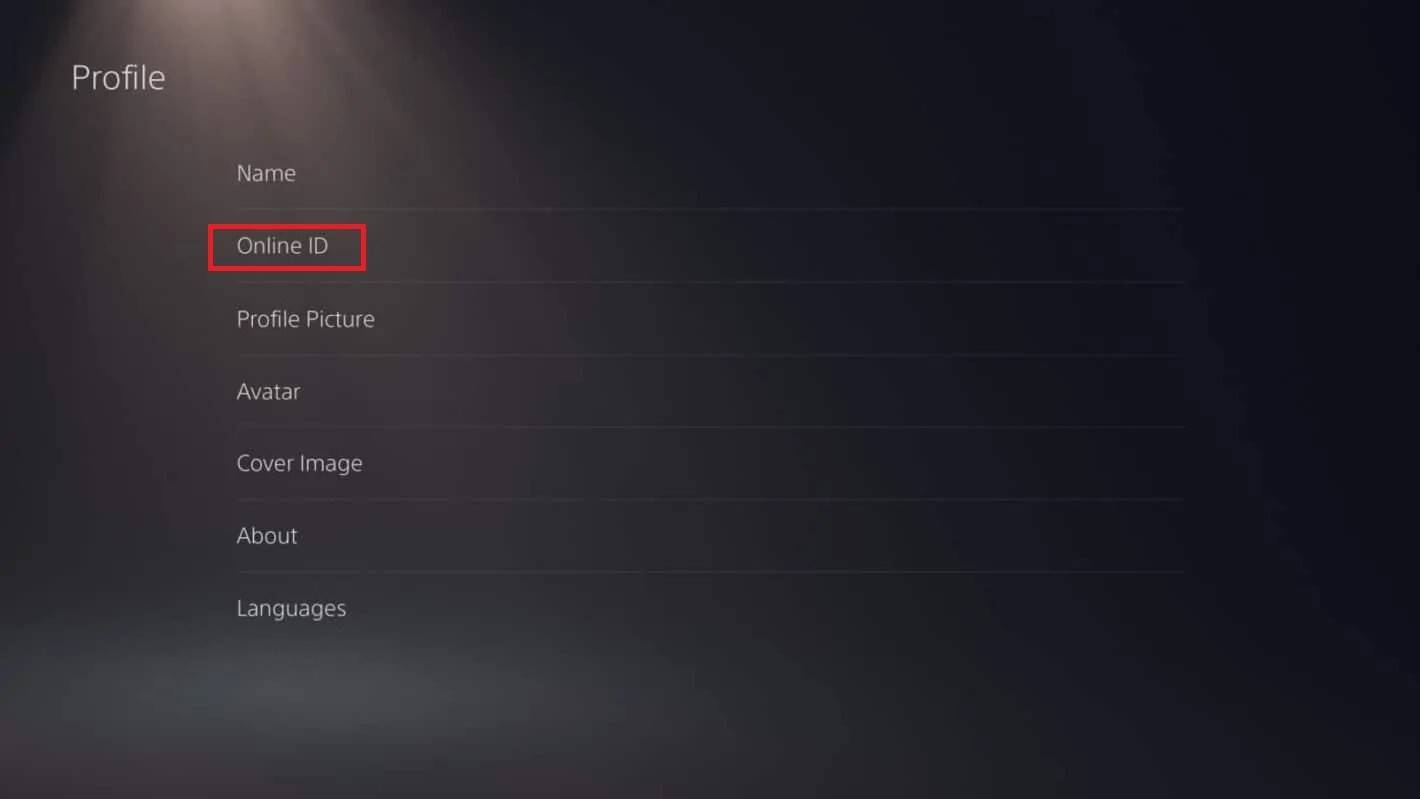 Image: androidauthority.com
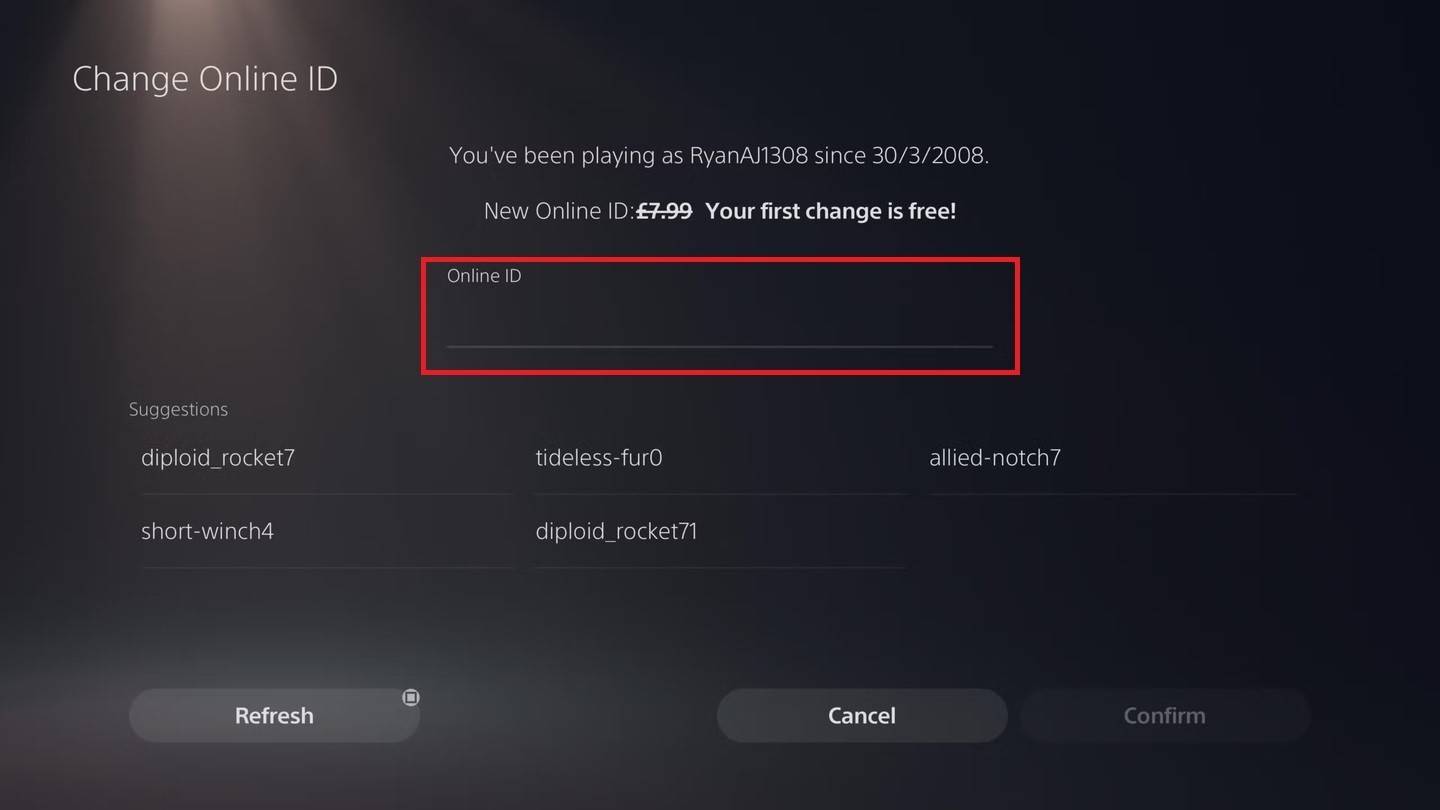 Image: androidauthority.com
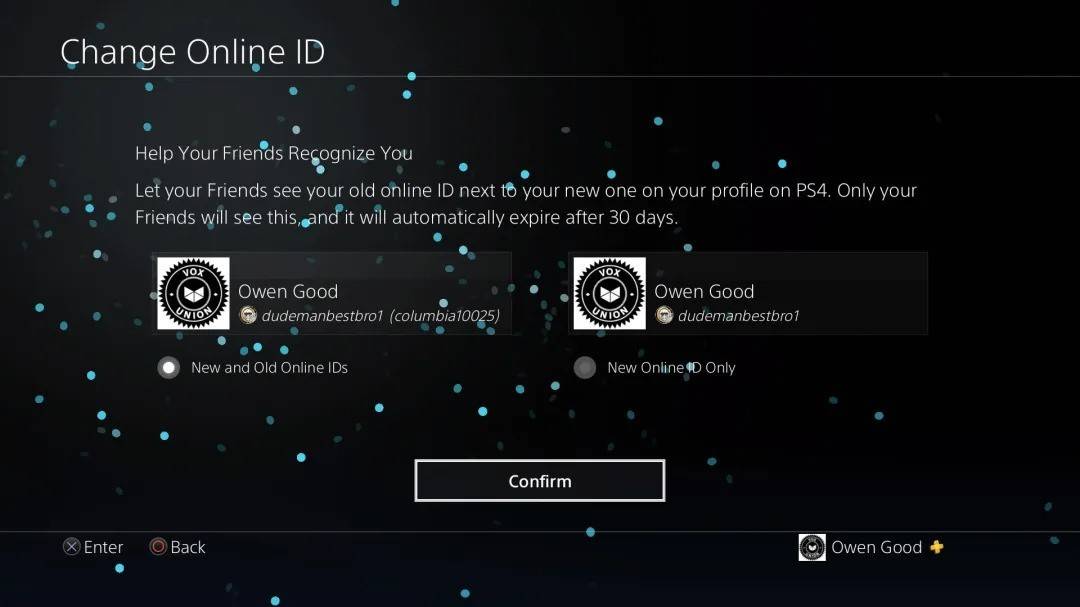 Image: androidauthority.com
As with Xbox, your new PSN ID will only be visible to other PlayStation players who also have crossplay disabled.
Final Recommendations
Before you change your name in *Overwatch 2*, consider the following:
- If you play on PC or a console with cross-platform play enabled, use the PC method to change your name.
- If you play on Xbox without crossplay, change your name through your Gamertag settings.
- If you play on PlayStation without crossplay, update your name via your PSN ID settings.
- Remember, you can change your BattleTag for free only once. Subsequent changes require payment.
- Ensure your Battle.net Wallet has sufficient funds if you need to pay for a name change.
By following these guidelines, you can easily update your *Overwatch 2* username to better reflect your individuality and match your evolving playstyle.

 LATEST ARTICLES