Week 2 of The Sims 4's Blast from the Past event presents a puzzling challenge: studying a Historical Display. This guide clarifies how to complete this task and addresses common issues players encounter.
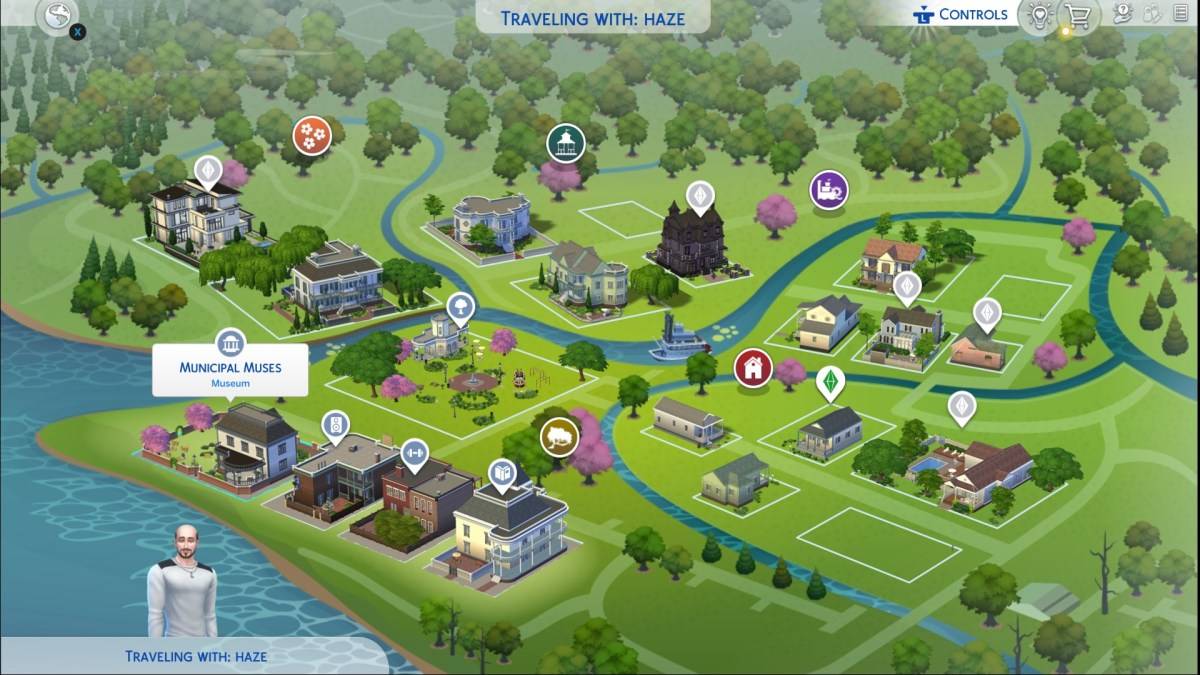
Locating a Historical Display:
The Week 2 quest requires interacting with a Historical Display, encompassing both paintings and sculptures found within museums. Use your in-game map to locate a museum (indicated by a pillar icon). Municipal Muses in Willow Creek and The Future's Past in Oasis Springs are conveniently located near other event tasks.
Completing the Quest:
Upon entering the museum, select a painting or sculpture. Clicking on the display will present a "View" option. Selecting "View" will complete the quest, indicated by the appearance of the Emit icon.
Troubleshooting Common Problems:
Many players report difficulties with the "View" option, often linked to mods. If you're experiencing this issue, consider temporarily disabling mods to see if that resolves the problem. If the issue persists, try interacting with multiple displays across different museums.
Blast from the Past Week 2 Quest List:
Successfully studying a Historical Display is just one step in Week 2. Here's the complete list of quests:
Echoes of Time:
- Read the History of Time Travel at a Library
- Experience the Past by Playing The Sims Archives vol. 2
- Study a Historical Display at a Museum
- Ask an Elder about the Shard
- Research Shards of Time
- Search Objects for Shards of Time (3)
- Show Emit the Shards of Time
Inventing the Past:
- Read Theoretical Electronics at a Library
- Collect Platinum
- Collect Ironyum
- Repair Something while Handiness Level 2 or Higher
- Exercise Your Mind while Level 2 or Higher in Logic
- Obtain an Electronic Upgrade Part
- Build the Time Travel Component
The Sims 4 is available on PlayStation, Xbox, and PC.

 LATEST ARTICLES