MU Immortal brings the iconic MMORPG series to mobile devices, offering a fresh take on the grind-heavy world of MU. If you've previously enjoyed MU Online, you'll find comfort in familiar elements such as stat allocation, gear progression, and class-based gameplay. However, MU Immortal introduces modern features like autoplay, offline farming, and a more streamlined approach to learning and managing skills, enhancing the overall experience.
This beginner's guide is crafted for both new players and MU veterans embarking on their journey in MU Immortal. Instead of delving into advanced strategies, this article focuses on the essential gameplay systems to help you grasp how MU Immortal operates and get started smoothly. Whether your goal is casual enjoyment or building a powerful character, here’s everything you need to know to hit the ground running.
Choosing Your Class
One of the initial and crucial decisions in MU Immortal is selecting your class. This choice will shape your playstyle, influence your stats, and determine the skills at your disposal. Understanding the fundamental roles of each class is vital before making your decision.
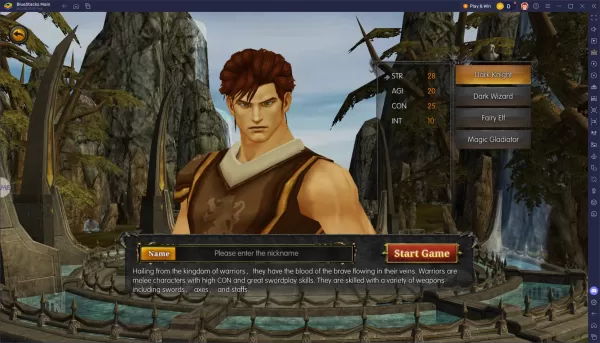
MU Immortal enhances the traditional grind-heavy, stat-driven gameplay of MU Online with numerous quality-of-life upgrades such as autoplay, skill customization, and automatic gear management. While the game can almost play itself at times, setting it up correctly requires thoughtful planning. Choose a class that aligns with your preferred style, allocate your stats with care, and adjust your auto-play settings to match your farming strategy.
For an enhanced experience, consider playing MU Immortal on PC using BlueStacks. This platform provides superior controls, enhanced performance, and greater customization options compared to mobile. Whether you're grinding levels or experimenting with new builds, BlueStacks simplifies the process, making your journey through MU Immortal more enjoyable and efficient.

 LATEST ARTICLES